
Getting started
Sexter stories live in the browser. You write them in Creator Studio, players open them from the library. No zip folders on a phone, no Mods app.
What you need
- A Sexter account (access code login, same as players)
- Creator access (if you do not have it yet, become a supporter or apply for Creator Status in the library page)
- Basic understanding of Ink. Knots, choices, diverts. If that sentence means nothing, do the Ink tutorial first, then come back.
VS Code or Cursor with an Ink extension is nice. Studio also has a built-in Ink editor with autocomplete for Sexter tags and externals.
The loop
- Open Creator Studio from the site (
/create). - Make a story (title, cover, description).
- Add characters.
- Write the first conversation in Ink.
- Hit playtest and watch it on the phone UI.
- When it is ready, publish from the Publish tab. The base story must be in English or it will not appear in the library. Other languages come later from the Languages tab.
Stories are made of conversations. Each conversation is one main chat thread (one contact or a group) plus one Ink file. When that Ink file ends, Sexter can move to the next main conversation automatically. Optional chapters are narrative boundaries that group conversations (title, gate, library listing).
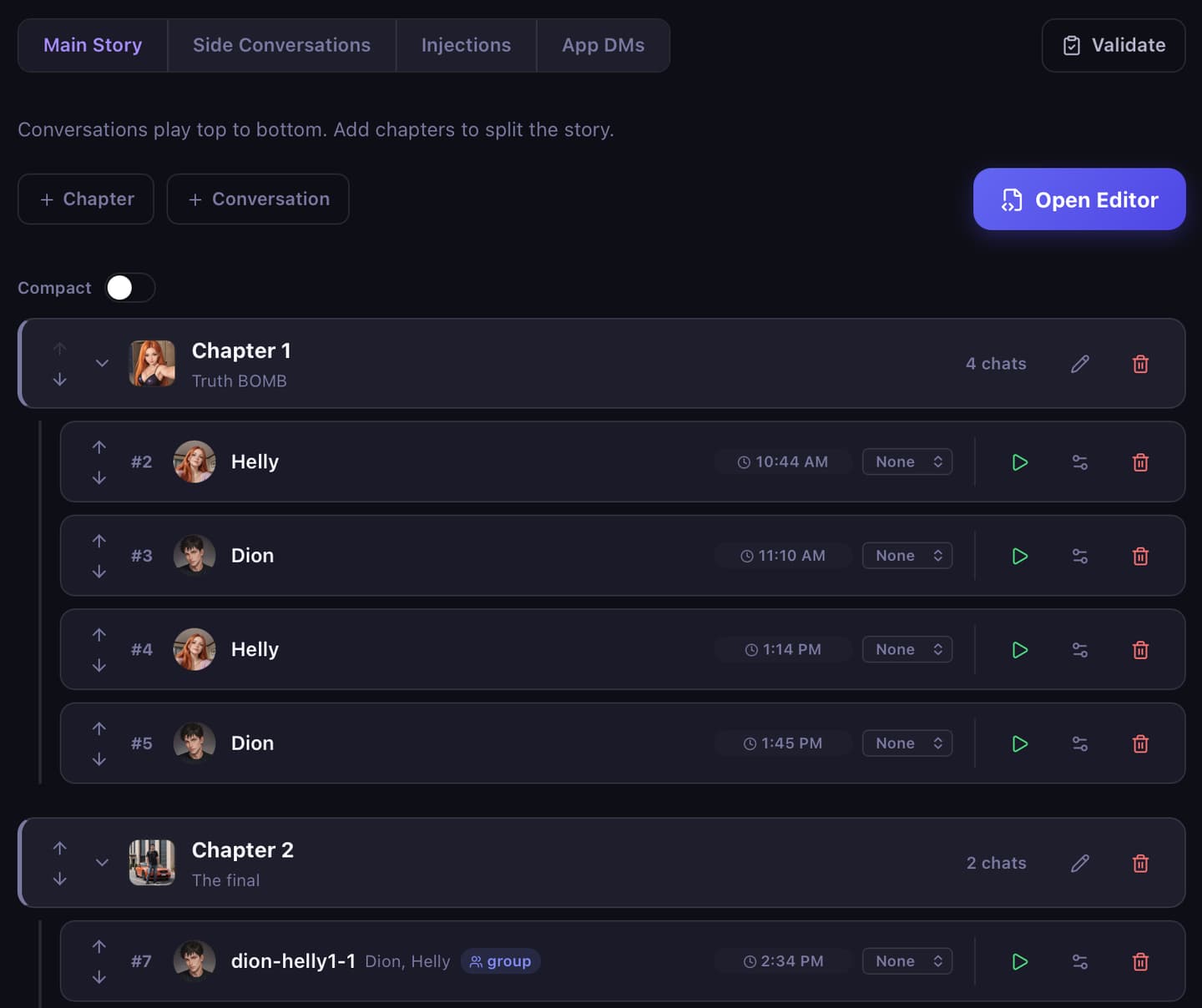
Mental model
| Piece | What it is |
|---|---|
| Story | The thing players see in the library |
| Conversation / Ink file | One main chat thread (or side / DM) and its dialogue |
| Chapter | Optional narrative section that groups main conversations |
| Modules | Optional phone apps for that story (TheGram, etc.) |
| Media library | Images, video, SFX you upload for this story |
Progress is saved per player. Flags and numbers you set with SetStoryFlag / SetStoryNumber carry for the whole story. Ink engine state (knot position, visit counts, native VARs) is per conversation: saved while that Ink file runs, then cleared when the next main conversation starts.
Ink files
You do not need to paste a giant EXTERNAL … header at the top of every file. Sexter injects the platform externals when it compiles. Old headers from Unity mods are usually fine; Studio will clean them up.
A tiny starter:
Hey. You free tonight?

* Yeah, what's up?
    Cool. Talk later.
    -> END
* Busy, sorry
    No worries.
    -> END
Then add waits, images, app unlocks as you need them. See Tags and External functions.
Playtest tips
- Play from Studio so you are on your draft, not a stale published copy.
- Use Saves in the phone if you need checkpoints while testing long routes.
- If something "does nothing", check Studio warnings. Wrong slug, missing module, or an old Unity tag are the usual suspects.
Next: Creator Studio.