
Git sync
Creator Studio can sync a story with a GitHub repository. Use it for backups, diffs, collaborating in VS Code, or editing Ink outside the browser, then bring changes back with Pull.
Open Git from the story overview (or the Ink editor once a repo is already linked).
Why use Git?
- Backup outside Sexter: a private repo is a second copy of your story text
- Edit locally: VS Code, Cursor, or any editor on
.inkand package JSON, then Push / Pull - History: commits show what changed over time
- Collaborate: share the repo with co-authors who already know Git
Git sync is optional. Plenty of creators work only in Studio.
What syncs (and what does not)
In the repo
- Story metadata (
mod.json) - Characters, conversations, injections, TheGram DMs, TheGram / FansOnly / Skip data as package folders
- Ink INCLUDE libraries under
Includes/ media-manifest.json(ids and paths pointing at media that already lives on Sexter)
Not in the repo
- Image / video / audio files. Binaries stay on Sexter storage. Upload and manage them in Studio → Media
- Compiled
.ink.json. Studio compiles Ink on save and on Pull
Do not commit Images/ or Videos/ folders. Paths only.
Set up
- In Studio, open your story → Git
- Click Install GitHub App and finish the GitHub flow
- Grant the Sexter.io app access to only the repos you want (you can add more later via Add / change repos)
- Pick a repository and branch (often
main). The branch is remembered for this story. Push and Pull keep using it until you change it. - Click Link repo
If the repo is empty, hit Push once to create the first commit. A large story (many conversations / TheGram posts) is still text-only, but the first Push can take a couple of minutes while Studio uploads every package file.
Unlink with Disconnect. That only removes the Studio link. The GitHub repo is not deleted.
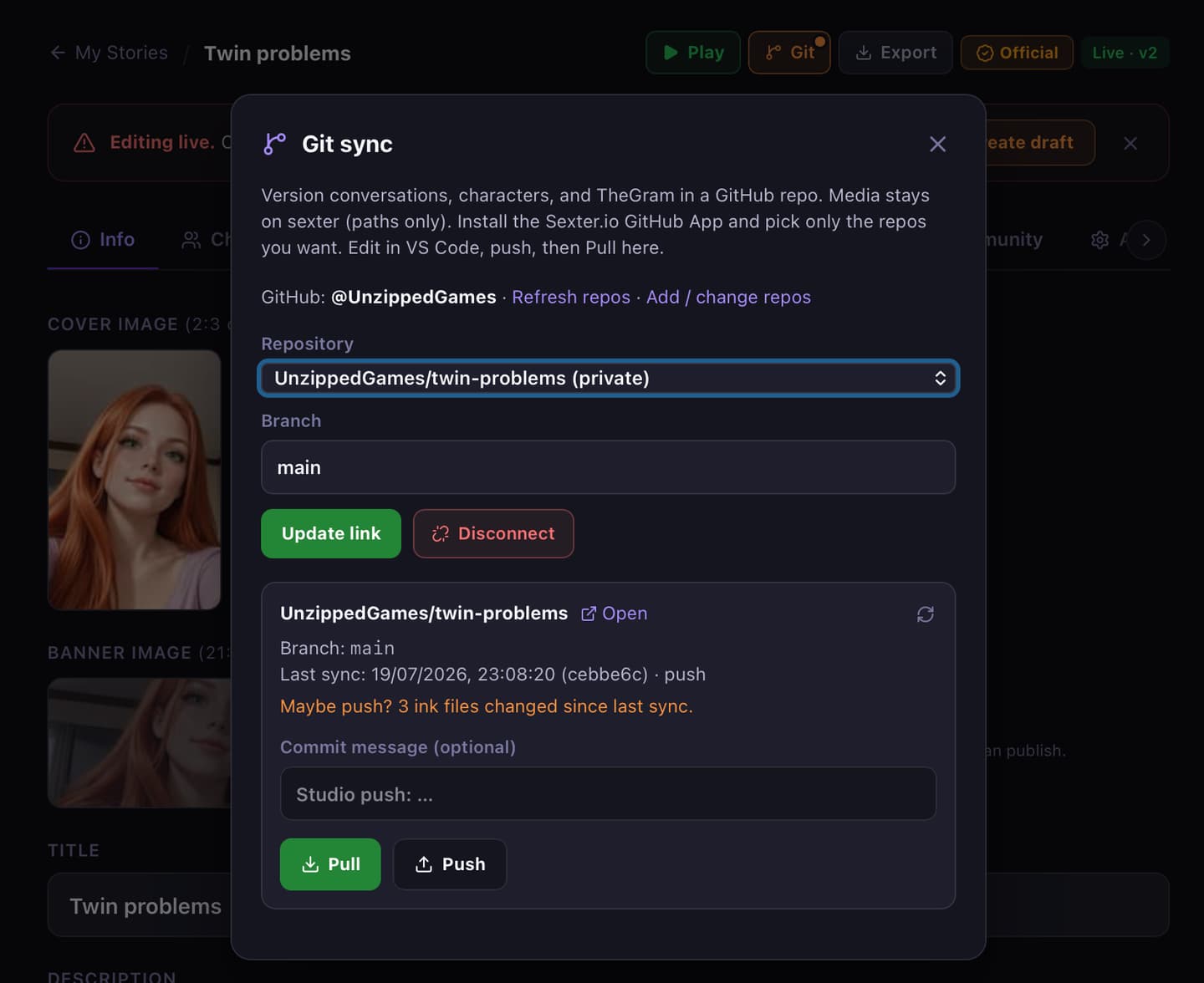
Day-to-day workflow
Edit in Studio, then back up to GitHub
- Save your work in Studio
- Open Git
- Optional commit message
- Review the changed-file list (everything is ticked). Untick files you want to leave uncommitted
- Push
The branch field shows the branch this story last used. You do not need to type it again each time.
The list is Studio vs GitHub, not a delete queue.
- new: in Studio, not on GitHub yet. Push adds it to the repo
- changed: Studio and GitHub differ
- GitHub only: on GitHub, missing in Studio. Pull copies it into Studio. If you Push with it ticked, it is removed from the repo
The first Push to an empty repo writes the whole package. After that, Push can commit only the files you leave selected. Unticked files stay as they are on GitHub, and Studio still shows leftover changes until you Push them too.
media-manifest.json is ids and paths only. Images stay on Sexter. Leave that file ticked if the Ink you are pushing uses new picture ids.
If GitHub is ahead, Pull first. The file list is read-only until you do. Checkboxes come back for the next Push.
Edit on your computer, then update Studio
- Clone or open the linked repo locally
- Edit
.ink/ package files git pushto GitHub- In Studio → Git → Pull
Pull overwrites Studio content from the repo. Studio saves a snapshot first. Confirm before you pull if you have unsaved Studio-only edits you still need.
Pull matches existing rows by package id (conversation storyId, side slug, injection id, TheGram DM id). Side conversations, injections, and TheGram DMs keep the Studio order they already have. New ones from the repo land in the next free slot.
If Pull hits errors, Git stays open so you can copy them. Story warnings are not listed here. Use Validate after you close Git. Studio then reloads to show the pulled story.
Conversations land under the Conversations/ChapterN folder they were pushed from. Existing chapter titles, covers, and gates stay on those chapter rows.
Status hints in the panel
- Repo is empty: Push to create the first commit
- Maybe push? / Studio has changes since last sync: local Studio is ahead of the last sync
- Remote is ahead. Pull before Push.: someone (or you, from another machine) pushed commits Studio has not pulled yet. GitHub-only rows stay in the repo. Pull copies them into Studio
While Studio is open with a linked repo, the Git button also rechecks about once a minute (and when you switch back to the tab). It lights up when GitHub has commits you still need to Pull, or when enough local ink changes are waiting to Push.
Tips
- Prefer a private repo for WIP adult fiction
- Keep media ids stable. Renaming ids in Ink without updating Studio Media breaks unlocks
- After Pull, copy the report if there are errors, then close Git to refresh Studio. Use Validate for story warnings
- Big first Push: leave the panel open until it finishes. A large story can take a couple of minutes. If GitHub asks you to slow down, wait a minute and Push again
- Publishing to the library is separate from Git. See Publish and updates
Related
- Creator Studio
- Coming from SmGF (folder packages vs Studio)
- Publish and updates